


Is public WiFi safe? 7 risks and how to protect yourself
Here’s the honest version: for checking the news or streaming something, public WiFi is fine. For anything with a login—your bank, work email, anything that matters—it’s a different story. The gap between those two scenarios is where most people get into trouble, usually because nobody explained what actually happens on a shared network.
The FBI’s Internet Crime Complaint Center recorded losses exceeding $16 billion from cybercrime in 2024—859,000 complaints, up 33% from 2023. Public WiFi isn’t the cause of all of that, but it’s a consistent entry point. What’s almost more striking: a Forbes Advisor survey found 40% of travelers had already been compromised on a public network, yet 23% of users still think these networks are completely safe. That second number is the one attackers actually care about.
Below are seven specific ways public WiFi gets exploited—what each attack looks like, what makes it work, and what stops it. The practical protection steps are in each section, not buried at the end.
Why public WiFi attracts hackers
A café operator setting up their network isn’t thinking about cybersecurity. They want customers online, the setup takes 20 minutes, and the default configuration on most consumer-grade routers ships with encryption either off or set to WPA/TKIP—a protocol that’s been broken since 2009. Enabling proper protection means opening an admin panel, knowing what WPA3 is, and making configuration choices that most small business owners have never been trained to make. So they don’t. And traffic flows in plaintext, readable by anyone nearby with free tools.
Crowded public places make this worse in a specific way. More connected devices means more traffic to passively capture, and it also means better cover—someone running Wireshark in a corner of a busy airport gate is invisible. The September 2024 incident at 19 UK train stations, including London Euston and Manchester Piccadilly, illustrated this pretty clearly: WiFi services were suspended after a cybersecurity incident redirected users to malicious pages. A single compromised access point hit thousands of travelers. It wasn’t a nation-state operation. Just someone who knew what to do with an open network and a lot of people who needed to get online before their train.
LAX, JFK, O’Hare—US airports see hundreds of thousands of daily WiFi connections. Security researchers who’ve done testing at these environments consistently find the same two things: official networks with poor configurations and rogue hotspots running right next to them, indistinguishable to most users.
Risk 1: Man-in-the-middle attacks on public WiFi
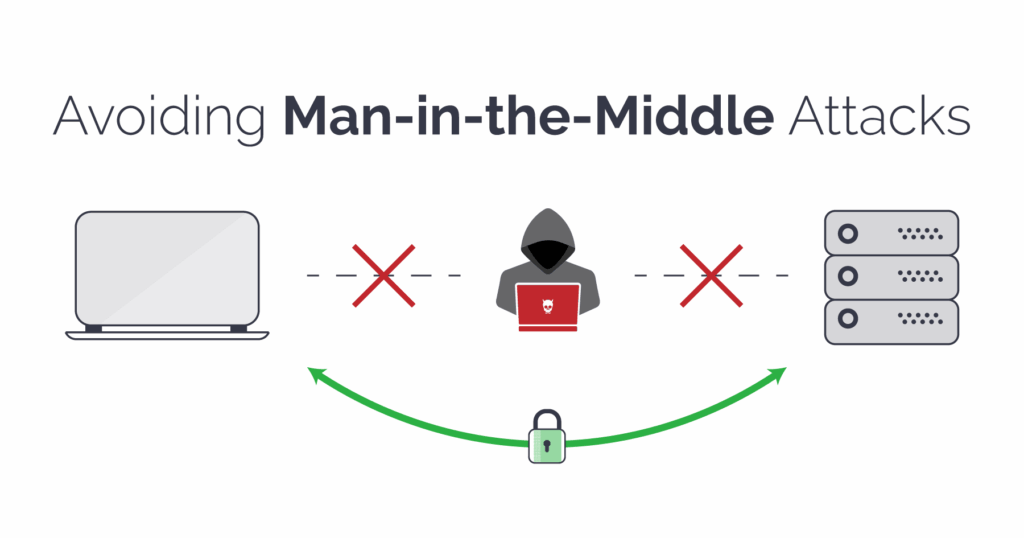
MITM is the baseline. The attacker gets between your device and the router—on a shared unencrypted network, this requires no special access, just being on the same network and running the right tool. Your traffic passes through their machine. You see nothing unusual. They see everything.
The SSL stripping variant is worth understanding specifically. You type a URL, your browser tries to connect over HTTPS, and the attacker’s software intercepts that request and serves you HTTP instead—while maintaining an encrypted connection to the real site on the other end. The page you see is identical to the real one. Your credentials may be exposed in plaintext if the site lacks HSTS enforcement. Cloudflare has a clear technical breakdown of how SSL stripping works and what stops it. The short version: sites with HSTS preloading—major banks, Google, most large platforms—are protected against this. Sites without it are not, and there are a lot of those.
What makes MITM attacks particularly uncomfortable is the timeline. Setup takes a few minutes with freely downloadable tools. Detection from the victim’s side is essentially impossible without network monitoring software. Your session looks normal start to finish.
Risk 2: Evil twin hotspots and rogue access points
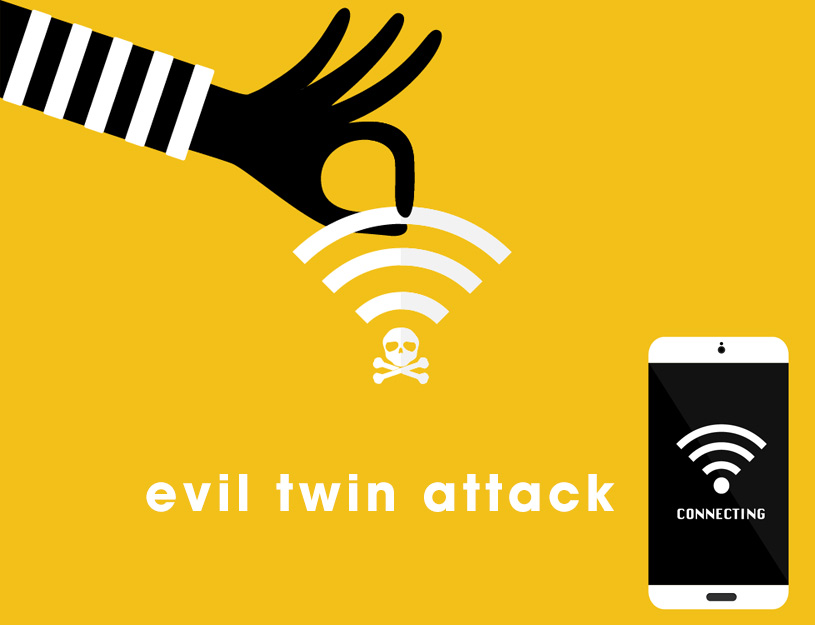
An attacker sets up a portable router named “Airport_FreeWifi” next to the real “Airport-FreeWifi.” Or “Starbucks WiFi” with a trailing space that you’d never notice on the network list. Your phone sees a familiar-looking name and connects automatically. That’s it. You’re on their network now.
Everything routes through their device. They can give you a working internet connection—most do, because the attack only works if you stay connected—while logging credentials, session cookies, messages, anything you transmit. There’s no vulnerability being exploited in your software. The compromise is purely at the network level. And because everything works normally, most people sit there for an hour and never realize.
Fixing this is low-tech: ask someone at the venue for the exact network name before connecting. Disable auto-connect on your phone and laptop—this setting tends to re-enable itself after OS updates, worth checking periodically. And never connect to anything labeled “Free WiFi,” “Public Network,” or “Guest” without confirming it’s real.
Industry surveys suggest roughly 47% of users never verify a WiFi network before connecting—and 25% of café WiFi users report having experienced identity compromise on a public network. Connecting to an unverified network in a crowded venue is a routine exposure for most people who travel for work. The people running evil twin hotspots are counting on exactly this.
Risk 3: Packet sniffing and silent data eavesdropping
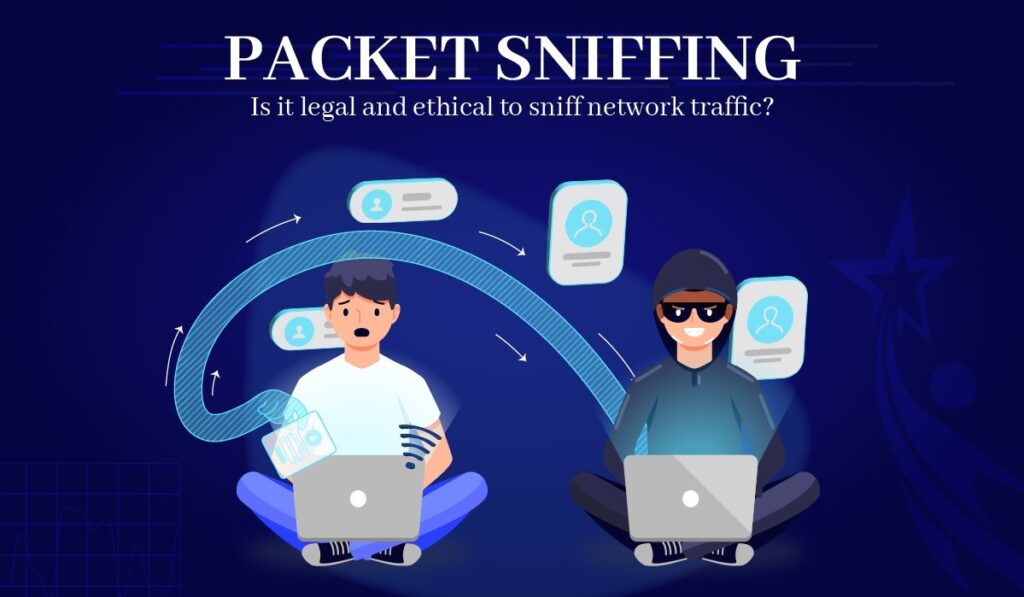
Packet sniffing doesn’t require tricking you into anything. The attacker opens capture software and listens. On an unencrypted connection, your email contents, search queries, form inputs, and login credentials are just… there. Readable text flowing through the air.
There’s a research study that illustrates this well. A team monitored 11 unsecured hotspots in Nara, Japan for 150 hours using standard tools—nothing specialized. They pulled unencrypted photos, documents, private messages, and credentials. Everything in plaintext. The part researchers found striking wasn’t that it was possible, it was the sheer volume of sensitive data moving around in the open that people had no idea was visible.
HTTPS helps—but not as much as most people assume. Metadata stays visible even on encrypted sessions: which domains you’re visiting, connection timing, data volume. Someone watching your traffic on a café network can tell you spent 40 minutes on your bank’s login page without reading a single byte of encrypted content. And if they’re running SSL stripping on a site without HSTS, the encryption doesn’t engage in the first place.
Risk 4: Malware distribution over shared networks

If you have file sharing enabled and you join a public WiFi network, every other device on that network can probe your shared folders. This isn’t theoretical—it’s a default Windows behavior that catches people regularly. One infected device on the network becomes a distribution point for everyone else connected to the same hotspot.
Mobile devices get a version of this that’s harder to spot: fake system update notifications that look pixel-perfect like the real thing. The malware installs, then goes quiet. It often doesn’t activate until your phone reconnects to a work or home network—which is a deliberate design choice, because immediate suspicious behavior would get it noticed and removed. By the time anything seems wrong, the original infection can be weeks old and the source is long gone.
Before connecting to any public network: set Windows to “Public network” when it asks (this restricts file sharing automatically), turn off AirDrop on iPhone and Mac, and be suspicious of any update prompt that appears immediately after joining a new hotspot. Real iOS and Android updates don’t trigger the moment you connect to café WiFi.
Risk 5: Session hijacking and cookie theft

Most people think account security is about protecting their password. Session hijacking works differently. When you log in, the site issues a cookie—a small token your browser stores that tells the server “this is an authenticated user.” After that, your password is no longer involved in the conversation. The cookie is the pass. If someone else gets it, they walk in as you.
On a network where an attacker is running MITM—including through a rogue access point or SSL stripping—that cookie can be captured while traveling between your browser and the server. Google’s security team has noted that cookie-based session attacks now happen at roughly the same scale as traditional password theft. And this particular attack is invisible: no wrong password, no failed login attempt, no notification. The server sees a valid cookie and lets them in.
2FA doesn’t help here because authentication already happened—you completed it, the cookie was issued, and now someone else has it. The practical counter is low-tech: log out of services when you’re done. Not close the tab—log out. Closing a tab leaves the session cookie active. Most platforms have “sign out all devices” in account settings; if you used public WiFi without a VPN, that’s the button to press when you get home.
A scenario from penetration testing case studies: remote worker at a conference, hotel WiFi, no VPN. Opens Google Workspace to check email for ten minutes. An attacker two floors up captures the session cookie passively—no interaction, no alert, nothing on either end that looks wrong. The account gets accessed from a different city that evening. The worker finds out from a coworker asking about a strange email. The entire thing is stopped by two habits: VPN before you connect, and actually logging out when you’re done.
Risk 6: Weak encryption and WPA2 limitations

Seeing a padlock on the WiFi symbol doesn’t tell you much. A lot of “password-protected” public networks are running security configurations that can be broken by someone patient and moderately motivated.
WPA2 is the standard most public hotspots use. It has a specific weakness: when your device joins the network, it exchanges a 4-way handshake with the router to negotiate session keys. If an attacker on the same network captures that handshake—which takes seconds, passively—and they know the network password (which they got by asking at the front desk, same as you), they can potentially derive your session keys and decrypt your traffic under certain conditions—depending on the client, network configuration, and whether AP isolation is enabled. The tools to do this are freely available and well-documented. It requires intent, but not expertise.
WPA3 closes this gap with a different handshake design that’s not vulnerable to this offline attack. The problem is that WPA3 is still rare in practice—most hotels, cafés, and airports are running the same WPA2 hardware they installed years ago. Worth checking your connection details if you’re curious, but don’t count on finding WPA3 in most public venues yet.
Risk 7: Financial fraud and credential theft on open networks
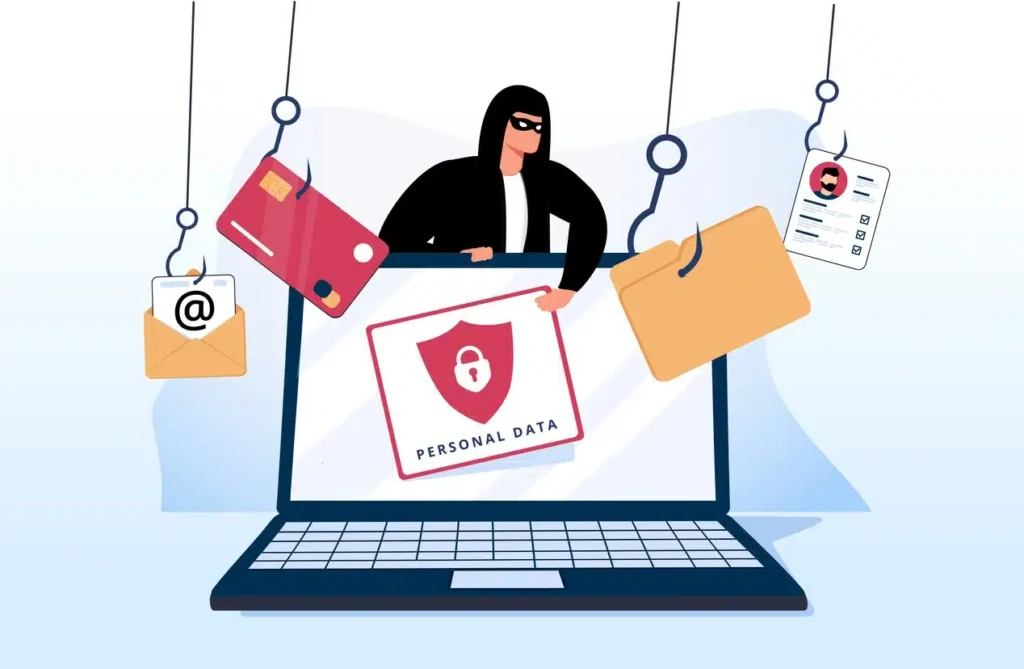
Around 45% of people make financial transactions on public WiFi according to survey data. That’s bank logins, credit card forms, payment pages—all going through shared infrastructure that the café owner configured once and never thought about again. Financial accounts draw the most attention from attackers because a single active banking session, captured mid-use, can enable unauthorized transfers within minutes.
What makes financial accounts particularly valuable to attackers is how they chain into everything else. Getting into someone’s email isn’t just about reading their messages—it means password reset access to every other service tied to that address. A compromised work account doesn’t just leak one person’s data. One session stolen on a Thursday afternoon can result in a Friday morning where a lot of different accounts are compromised across multiple platforms.
Use your phone’s mobile data for anything financial. Cellular is encrypted at the carrier level and isn’t shared with anyone else in the building. It’s not a complicated tradeoff.
The table below maps each risk to its mechanism and the protection that addresses it most directly. Layering multiple defenses matters—no single control covers the full attack surface.
| Risk | How it works | Primary defense |
|---|---|---|
| Man-in-the-middle | Intercepts traffic in transit; SSL stripping exposes credentials on non-HSTS sites | Paid, audited VPN + HTTPS-only browsing |
| Evil twin hotspot | Fake SSID mimics real network; attacker controls all traffic | Manual SSID verification with staff; auto-connect disabled |
| Packet sniffing | Passive capture of unencrypted data on shared network | VPN active before connecting; avoid sensitive activity |
| Malware distribution | Compromised AP or device pushes payloads to others on the network | File sharing disabled; OS fully patched |
| Session hijacking | Session cookies captured via MITM and replayed to impersonate user | Log out properly (not just close tab); 2FA on all accounts |
| Weak encryption | WPA2 handshake capture allows session decryption by attacker with password and tooling | VPN regardless of network password; prefer WPA3 where available |
| Financial fraud | Credentials or active session tokens used for unauthorized transactions | Mobile hotspot (cellular data) for any financial activity |
The actual risk on any specific connection scales with what you’re doing. Checking the weather is a different exposure than logging into your company’s admin panel. The table above is a reference, not a reason to avoid every open network.
When public WiFi is relatively low risk
Worth saying plainly: most things people do on public WiFi are fine. The threat scales with whether you’re authenticating or transmitting anything personal. Passive consumption—reading, watching, browsing—carries minimal exposure on most open networks.
These are generally low-risk on public WiFi:
- Streaming video or music (credentials were entered at home, not here)
- Reading news, Wikipedia, or any browsing that doesn’t involve logging in
- Looking up directions or checking maps
- General searches with no personal data
- Downloading files from verified HTTPS sources
The line is authentication. The moment you enter a password, submit a form with personal information, or access a work system, the risk profile changes significantly.
How to stay safe on public WiFi: what actually works
Most attackers are opportunistic. They’re not targeting you specifically—they’re running tools in an environment where enough people connect without protection that waiting is profitable. Raise the cost of attacking you slightly, and they move to someone easier.
Activities worth deferring until you’re on a trusted connection:
- Online banking, brokerage, or any financial transaction
- Work email or corporate systems (unless your company VPN is running)
- Admin dashboards or server access
- Any form asking for Social Security number, credit card, or health information
- Accounts without two-factor authentication enabled
When you do need to connect to a public hotspot, the order matters:
- Get the exact network name from staff before looking at your device’s WiFi list
- Launch your VPN client before joining the network and connect immediately after the WiFi handshake completes—don’t open a browser first
- Wait until the VPN confirms it’s connected, then proceed
- On Windows: set network type to “Public” when prompted
- On Mac / iPhone: disable AirDrop and file sharing
- HTTPS only for anything requiring a login or form submission
- Log out of sessions when finished—closing the tab doesn’t invalidate the session cookie
On VPN choice: free providers have repeatedly been caught logging and selling the exact traffic you’re trying to protect. A paid provider with independent no-logs audits is worth the $3–5/month. Enable it before the network dialog opens, every time—it becomes automatic quickly.
2FA is worth a separate note because people misunderstand its scope. It won’t help against session hijacking—by that point you’re already authenticated. But for everything that relies on a password, 2FA makes a captured credential useless. If you’re only going to enable it on some accounts, email first, banking second, everything else third.
Post-connection checklist if you used public WiFi without a VPN: look for unexpected logouts from accounts you left open, login alerts from unfamiliar locations, unusual messages reported by contacts. Most platforms have a “sign out all devices” option—use it. Change passwords for anything you accessed during that session.
How to find open WiFi hotspots with known passwords
One underused approach to safer public WiFi: verify the hotspot before you arrive. Services like WifiSPC map documented open networks and hotspots with known shared passwords across cities worldwide. Connecting to a network confirmed by other users is meaningfully safer than connecting to whatever your device finds in range at an unfamiliar location. It won’t replace a VPN, but it substantially reduces the chance of landing on a rogue access point before you’ve even opened your browser.
The honest summary: public WiFi is fine for a lot of things, and genuinely risky for a specific subset of activities. The difference is whether you’re transmitting credentials or personal data. A VPN, the habit of logging out properly, and checking the network name before connecting handle the vast majority of documented attack vectors. None of this requires technical knowledge to implement. It just requires doing it consistently rather than only when you remember to worry about it.
Frequently asked questions about public WiFi safety
Can someone see what I’m doing on public WiFi?
On an unencrypted network, yes—packet-capture software can read unencrypted traffic including credentials and form inputs. Even encrypted connections expose metadata (which sites, when, how long). A VPN encrypts everything before it leaves your device.
Is it safe to check my bank account on public WiFi?
Generally not recommended. Banking sessions are prime targets for MITM attacks and session hijacking, and SSL stripping can expose credentials on sites without HSTS protection. If you must access banking on a public network, use a paid VPN with an active connection and verify you’re on the bank’s official HTTPS domain. Mobile data is the safer default.
Does a VPN fully protect you on public WiFi?
Substantially, not completely. A VPN blocks packet sniffing and most MITM attacks by encrypting your traffic end-to-end. It won’t protect against malware already on your device or DNS leaks from a misconfigured VPN. Use a reputable paid provider.
How do I find free WiFi with a known password nearby?
Hotspot databases like WifiSPC map documented networks including community-confirmed passwords, so you can connect to verified access points rather than guessing from whatever’s in range.
What happens if I connect to an unsecured WiFi network?
Your device joins a shared network where other participants can passively capture your unencrypted traffic. Session cookies from active logins can be stolen. File sharing may expose local folders. Actual risk depends on what you do while connected.
Is airport WiFi safe to use?
It’s among the riskiest environments—high device density, international travelers, minimal security oversight. Airports are standard targets for evil twin operations. Always use a VPN; don’t access anything sensitive without it.
Is hotel WiFi safe?
Hotel networks vary. Many use WPA2 with a shared passphrase, meaning someone with the password who captured your initial connection handshake could potentially decrypt your session traffic. VPN is non-negotiable; skip financial activity regardless of the network’s apparent security.